

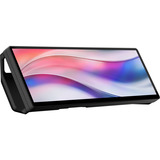

USB-C-Monitore



- Sichtbares Bild: 68,4 cm (27 Zoll)
- Auflösung: 2560 x 1440 Pixel
- Format: 16:9
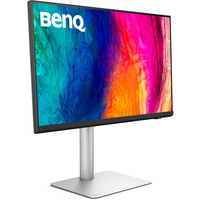
- Sichtbares Bild: 68,6 cm (27 Zoll)
- Auflösung: 5120 x 2880 Pixel
- Reaktionszeit: 5 ms (GtG)
- Format: 16:9
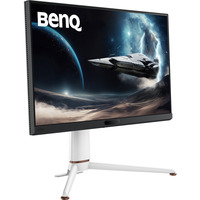
- Sichtbares Bild: 68,6 cm (27 Zoll)
- Auflösung: 3840 x 2160 Pixel
- Reaktionszeit: 1 ms (GtG)
- Format: 16:9
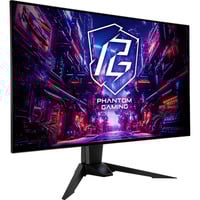
- Sichtbares Bild: 80 cm (31,5 Zoll)
- Auflösung: 3840 x 2160 Pixel
- Reaktionszeit: 0.03 ms (GtG)
- Format: 16:9

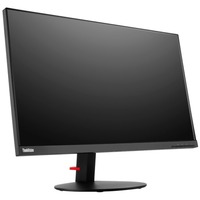
- Sichtbares Bild: 68,6 cm (27 Zoll)
- Auflösung: 3840 x 2160 Pixel
- Format: 16:9
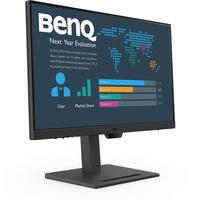
- Sichtbares Bild: 69 cm (27 Zoll)
- Auflösung: 2560 x 1440 Pixel
- Reaktionszeit: 5 ms (GtG)
- Format: 16:9
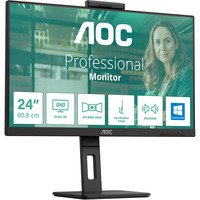
- Sichtbares Bild: 60,5 cm (23,8 Zoll)
- Auflösung: 1920 x 1080 Pixel
- Reaktionszeit: 4 ms (GtG)
- Format: 16:9
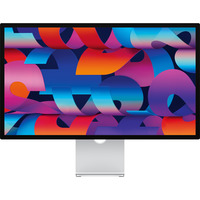
- Sichtbares Bild: 68,29 cm (27 Zoll)
- Auflösung: 5120 x 2880 Pixel
- Format: 16:9
- Sichtbares Bild: 61 cm (24 Zoll)
- Auflösung: 1920 x 1080 Pixel
- Reaktionszeit: 4 ms (GtG)
- Format: 16:9
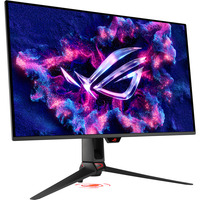

- Sichtbares Bild: 80,3 cm (31,5 Zoll)
- Auflösung: 3840 x 2160 Pixel
- Reaktionszeit: 0.03 ms (GtG)
- Format: 16:9
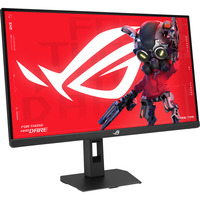
- Sichtbares Bild: 68,6 cm (27 Zoll)
- Auflösung: 2560 x 1440 Pixel
- Reaktionszeit: 1 ms (GtG)
- Format: 16:9
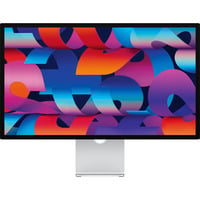
- Sichtbares Bild: 68,29 cm (27 Zoll)
- Auflösung: 5120 x 2880 Pixel
- Format: 16:9
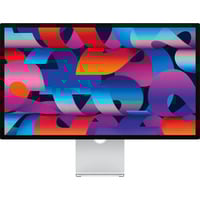
- Sichtbares Bild: 68,29 cm (27 Zoll)
- Auflösung: 5120 x 2880 Pixel
- Format: 16:9
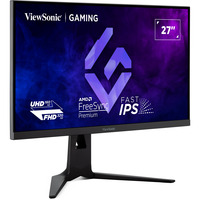
- Sichtbares Bild: 68,6 cm (27 Zoll)
- Auflösung: 3840 x 2160 Pixel
- Reaktionszeit: 0.5 ms (MPRT)
- Format: 16:9
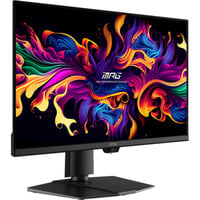


- Sichtbares Bild: 67,3 cm (26,5 Zoll)
- Auflösung: 2560 x 1440 Pixel
- Reaktionszeit: 0.03 ms (GtG)
- Format: 16:9
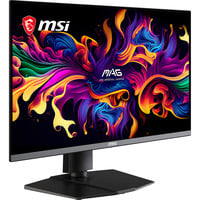
- Sichtbares Bild: 67,3 cm (26,5 Zoll)
- Auflösung: 3840 x 2160 Pixel
- Reaktionszeit: 0.03 ms (GtG)
- Format: 16:9
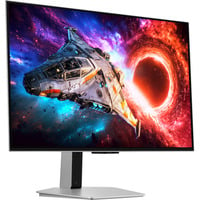
- Sichtbares Bild: 80,3 cm (32 Zoll)
- Auflösung: 3840 x 2160 Pixel
- Reaktionszeit: 0.03 ms (GtG)
- Format: 16:9
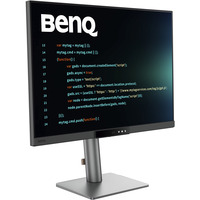
- Sichtbares Bild: 71,6 cm (28,2 Zoll)
- Auflösung: 3840 x 2560 Pixel
- Reaktionszeit: 5 ms (GtG)
- Format: 3:2
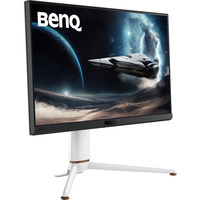
- Sichtbares Bild: 68,6 cm (27 Zoll)
- Auflösung: 2560 x 1440 Pixel
- Reaktionszeit: 1 ms (GtG)
- Format: 16:9
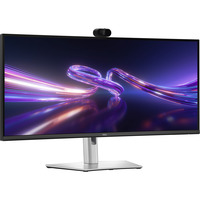
- Sichtbares Bild: 86,6 cm (34,1 Zoll)
- Auflösung: 3440 x 1440 Pixel
- Reaktionszeit: 5 ms (GtG)
- Format: 21:9
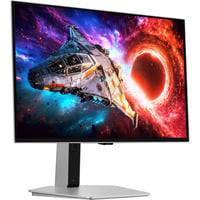
- Sichtbares Bild: 67,7 cm (27 Zoll)
- Auflösung: 3840 x 2160 Pixel
- Reaktionszeit: 0.03 ms (GtG)
- Format: 16:9
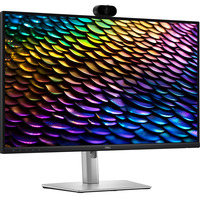
- Sichtbares Bild: 68,6 cm (27 Zoll)
- Auflösung: 2560 x 1440 Pixel
- Reaktionszeit: 5 ms (GtG)
- Format: 16:9
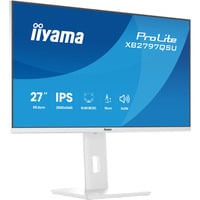
- Sichtbares Bild: 68,5 cm (27 Zoll)
- Auflösung: 2560 x 1440 Pixel
- Reaktionszeit: 1 ms (MPRT)
- Format: 16:9
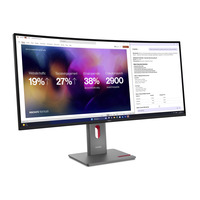
- Sichtbares Bild: 100,8 cm (39,7 Zoll)
- Auflösung: 5120 x 2160 Pixel
- Reaktionszeit: 4 ms (GtG)
- Format: 21:9
Monitore mit USB-C – die Revolution am Schreibtisch
USB-C-Monitore
revolutionieren die Welt der visuellen Technologien mit ihrer innovativen
Schnittstelle, die Effizienz und Einfachheit verbindet. Denn dank eines
einzigen Kabels, das Datenübertragung sowie Videoausgabe und Stromversorgung
vereint, gehört lästiger Kabelsalat der Vergangenheit an. Dies ist jedoch nicht
alles, denn PC-Bildschirme mit USB-C-Anschluss bieten noch viele weitere Vorzüge. Mehr
zum Thema gibt es in folgendem Beitrag zu lesen.
USB-C und USB-C-Monitore
USB-C
ist ein moderner und leistungsfähiger Anschluss für elektronische Geräte, der
seit 2014 existiert. Er hat eine schmale Form und lässt sich beidseitig
einstecken, was bedeutet, dass es keine Rolle spielt, wie herum man das Kabel
hält. Der USB-C-Anschluss kann nicht nur zum Laden von Geräten verwendet werden.
Er unterstützt ebenso schnelle Datenübertragungen und den Anschluss von
Bildschirmen. Bei einem USB-C-Monitor handelt es sich im Grunde um ein
Anzeigegerät, das mit dem fortschrittlichen Anschluss ausgestattet ist.
Vorteile von Bildschirmen mit USB-C
Ein Monitor
mit USB-C bietet diverse Vorteile. So kann er mit nur einem Kabel verbunden
werden, das gleichzeitig Bildsignale überträgt und das angeschlossene Gerät (z. B. ein Notebook) auflädt. Das spart Platz und sorgt für weniger Kabelchaos auf dem
Schreibtisch. Des Weiteren sind solche Computermonitore meist flexibel
einsetzbar und lassen sich weiterhin als USB-Hub verwenden, um etwa Tastatur und Maus anzuschließen. Da der Anschluss inzwischen weit verbreitet
ist, können USB-C-Monitore in Kombination mit unterschiedlichsten Devices
genutzt werden. Die hohe Geschwindigkeit bei der Datenübertragung ist ebenfalls ein
großes Plus der Screens.
Darum lohnt sich der Kauf eines USB-C-Monitors
Praktisch
ist der Kauf insbesondere für Menschen, die Wert auf einen aufgeräumten
Arbeitsplatz und simple Konnektivität legen. In Büros, wo verschiedene Geräte
zum Einsatz kommen, wird dank USB-C eine universelle Anschlussmöglichkeit
geboten. Zudem ist ein solcher Computerbildschirm nützlich für Personen, die oft
unterwegs sind und einen mobilen Arbeitsplatz benötigen. Ganz einfach den Laptop
an den USB-C-Monitor anschließen und umgehend mit der Arbeit beginnen. Kurz
gesagt lohnt sich die Anschaffung in den meisten Fällen, da ein USB-C-Monitor Anwendern
den Alltag erleichtert, indem er diverse Funktionen bündelt, die sonst mehrere
Geräte und Kabel erfordern würden.
FAQ – häufig gestellte Fragen
Was kann man an einen USB-C-Monitor anschließen?
Typischerweise
verbinden Nutzer moderne Laptops und Smartphones, die über einen
USB-C-Anschluss verfügen, um Bildschirminhalte zu übertragen und gleichzeitig
die Geräte aufzuladen. Tablets können ebenfalls angeschlossen werden, um ein
größeres Display zu nutzen. Auch Speichersticks oder externe Festplatten lassen
sich über den USB-C-Monitor verbinden, was die Datenübertragung vereinfacht.
Lässt sich jedes USB-C-Kabel mit einem USB-C-Monitor nutzen?
Nicht
jedes dieser Kabel leistet das Gleiche. Somit erfordert es eines, das auch
wirklich alles kann, was der USB-C-Monitor braucht. Manche der Kabel sind nämlich
nur zum Laden gedacht und nicht für die Übertragung von Bild und Ton. Darüber
hinaus finden sich Exemplare, die für spezielle Technologien und
anspruchsvollere Aufgaben entwickelt sind. Beim Kauf eines Monitors mit USB-C
ist aber für üblich das passende Kabel für die Nutzung aller Funktionen im
Lieferumfang enthalten.
Ist es möglich, über USB-C gleichzeitig Video, Daten und Strom zu übertragen?
Ja,
mit USB-C ist es möglich, Video, Daten und Strom gleichzeitig über einen
Anschluss zu übertragen.
Was ist der Unterschied zwischen USB-C-Monitoren und solchen mit traditionellen Anschlüssen wie HDMI?
Der
Hauptunterschied ist, dass USB-C-Monitore oft eine einfachere Verbindung
ermöglichen, indem sie Videosignal, Daten und Strom über ein einziges Kabel
übertragen, während traditionelle Monitore separate Kabel für Video
und Strom benötigen. Abgesehen davon unterscheiden diese sich nicht wesentlich
von herkömmlichen Modellen in Bezug auf die grundlegenden Funktionen der
Bildanzeige.
Kann man auch ältere Geräte ohne USB-C-Anschluss verbinden?
Um
ältere Gerätschaften ohne USB-C-Anschluss an einen USB-C-Monitor anzuschließen,
benötigt man einen passenden Adapter oder ein Konverter-Kabel, wie zum Beispiel
von HDMI auf USB-C.
Sind USB-C und Thunderbolt das Gleiche?
USB-C
bezeichnet die physische Form eines Anschlusses und dessen Steckers. Der Standard
ermöglicht die Übertragung von Daten, Video und Strom über ein einziges Kabel. Thunderbolt
ist ein von Hersteller Intel entwickelter Konnektivitätsstandard. Die Thunderbolt-Technik
macht sich den Anschlusstyp USB-C zunutze und erweitert diesen erheblich in
seiner Funktionalität.
Für Office, Multimedia, Gaming und mehr – USB-C-Monitor jetzt bei ALTERNATE bestellen
Entdecken
Sie unser Angebot an PC-Bildschirmen mit USB-C-Anschluss von bekannten
Herstellern wie EIZO, ASUS, BenQ, LG oder SAMSUNG und sichern Sie sich das
gewünschte Modell zum günstigen Preis!